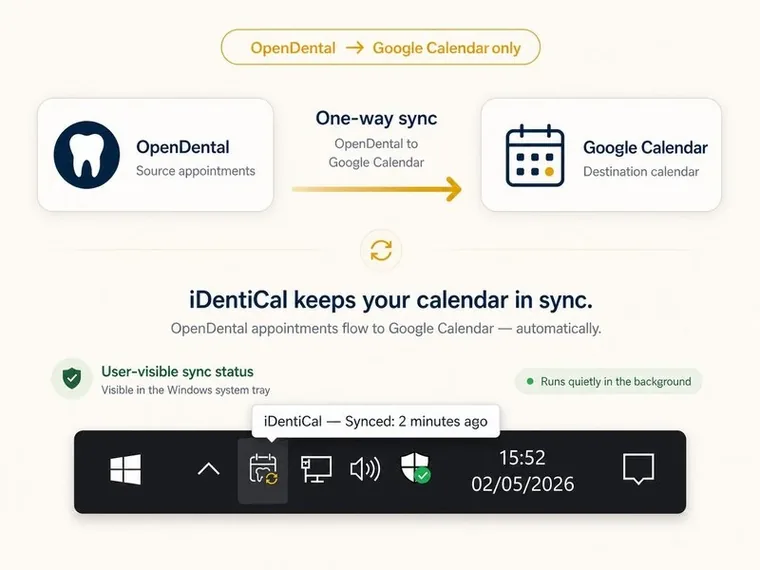
How do I sync OpenDental with Google Calendar?
Install iDentiCal on your practice PC and run the setup wizard. It connects to your OpenDental database, authenticates with Google, and starts syncing — typically under five minutes from install to working. Each dentist is configured as a separate sync target with their own Google account.
What happens if the internet goes down?
The service continues running and retries on the next sync cycle. A brief internet outage won't interrupt anything — once connectivity returns, appointments sync automatically. Your OpenDental database is on the local network, so practice scheduling is never affected.
Can multiple dentists sync to different calendars?
Yes. Each dentist is configured as a separate sync target with their own Google account and calendar. Multi-clinic setups are also supported with per-clinic isolation.
Is OpenDental Google Calendar sync secure?
Yes. iDentiCal encrypts credentials and OAuth tokens at rest using Windows DPAPI. It connects to your database with a read-only user and never writes to OpenDental. Logs automatically redact sensitive data, and appointment data flows directly from your network to Google over HTTPS — never via our servers.
Does it run when nobody is logged in?
Yes. The sync engine runs as a Windows Service that starts at boot under LocalSystem, completely independent of any user login. Unlike plugins that only work when someone is at the workstation, iDentiCal runs 24/7.
How are patient names displayed in Google Calendar?
However you want. Initials only ("GW") for privacy, first-name-last-initial ("Grace W"), full name, or a custom format. You can include patient numbers and operatory names. A live preview in the settings UI shows exactly how events will appear before you sync.
Does iDentiCal modify OpenDental data?
No. iDentiCal connects with a read-only database user and only reads appointment data. It cannot write to your OpenDental database — by design, not by trust.
How much does it cost?
£249.99 one-time — you own the software for life, no subscription. The first year of support & updates is included. After that, our optional Support & Updates plan is £49.99/year if you want priority email support and future feature updates. Skip a year? Your software keeps working exactly as you bought it — there are no "plugin expired" lockouts. Flat fee for any practice size; multi-clinic discounts available for 3+ locations.
How does the free trial work?
Install and it just works for 14 days — no activation, no credit card. The trial includes every feature so you can fully test sync before committing. If you buy and change your mind within 30 days, we'll refund you in full — no questions asked.
What versions of OpenDental are supported?
iDentiCal works with any locally-hosted OpenDental install where the MySQL/MariaDB database is reachable from a Windows machine on your network. It connects directly to the database rather than running as an OpenDental plugin, so it's independent of OpenDental's own update cycle — there are no DLLs to update or plugins to reinstall when OpenDental releases a new version. OpenDental Cloud is not currently supported.
Is iDentiCal affiliated with OpenDental or Google?
No. iDentiCal is an independent product by Walker IT Support. It is not affiliated with, endorsed by, or sponsored by OpenDental Software Inc. or Google LLC. It connects to these products through their published APIs.